

Movement and Actions
Neon Eden Comprehensive Combat Guide
The basics
Before understanding combat, the movement and everything that makes an Edgerunner draw their iron, you must understand this basic concept.
The outcome of a skill roll is always calculated by: STAT+SKILL+1d10
To attack someone, is in basis, rolling the relevant skill for the weapon you are currently using.
To attack someone, is in basis, rolling the relevant skill for the weapon you are currently using.
Beginning Combat
Combat in Cyberpunk RED can seem a little intimidating at first, but we promise it's pretty simplistic once you wrap your head around it! That's especially true on our server, as some systems have been simplified and/or automated to save the need for pesky things like math. It’s worth noting, too, that there are some minor differences between the base RED system and our RPR, so this guide may be useful even if you’re very familiar with RED.
When you wish to start combat, make sure you do the following:
- Provide one descriptive emote about your hostile intention.
- Navigate to your 'abilities' tab in the Shift+R menu.
- Hit the 'start|exit combat' button.
- Hit the 'roll turn order' button.
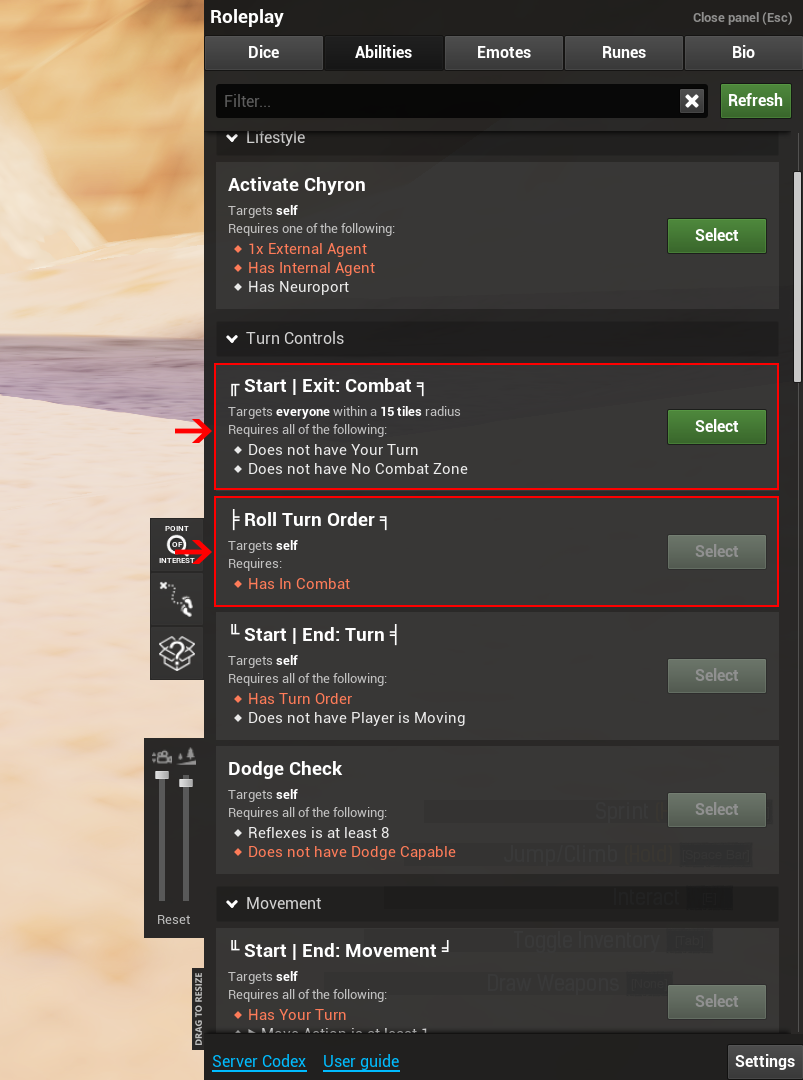
This will automatically roll initiative for you, as well as alert anybody within fifteen tiles that combat has started! The highest number goes first; reroll any ties.
Those within fifteen tiles, but not the aggressor nor the target of the attack, may simply choose to press the same 'start|exit combat’ button to leave the scene.
It is important to note, however, that there are certain regulations about how many people can participate in a fight depending on the circumstances. To understand this in its entirety, please review 3.2.12 Antagonistic Parties in the General Rules of Conduct.
Your Turn
Combat has started, and now you're up! What now? First, press the 'start|end turn’ button.
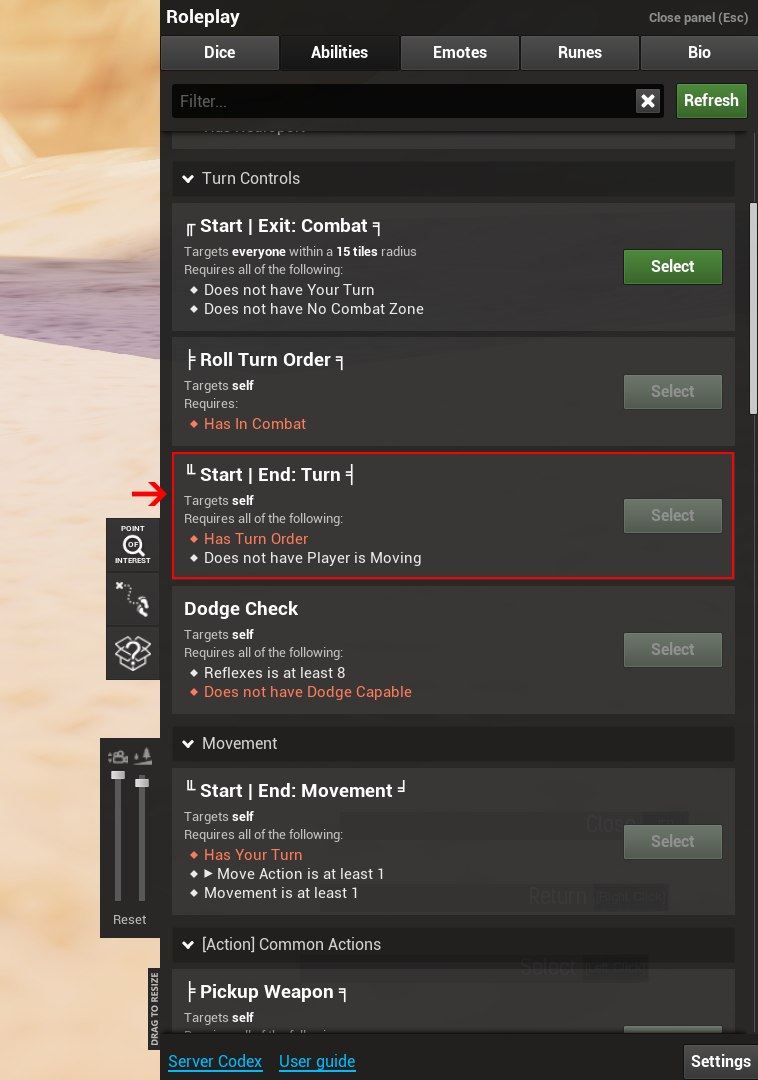
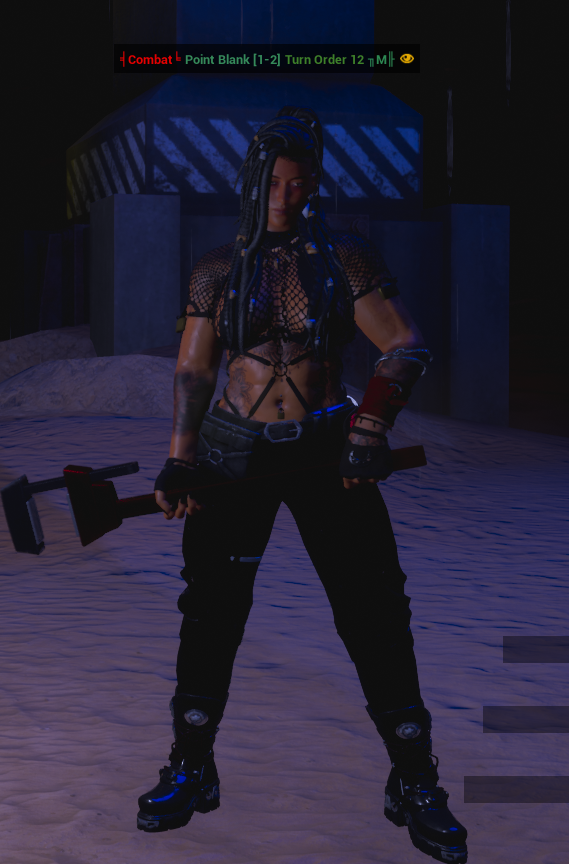
The system will now mark your turn as started, as well as:
- The type of weapon you have equipped (M for melee, R for ranged, C for cyberweapon, U for unarmed).
- Your distance from the nearest target.
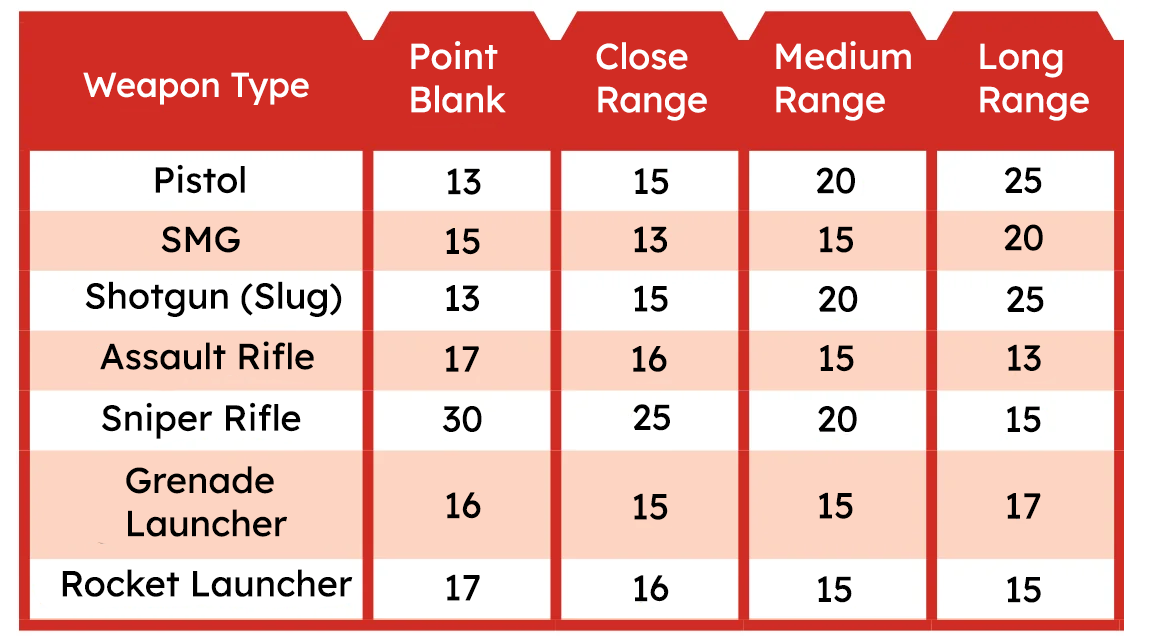
This info will display above your head. Range affects your likelihood to hit, be hit, and what kinds of attacks you can use. For example, most melee weapons only work at point blank range.
Movement
You may wish to move your character. To do this:
- Press the 'start|end movement' button before moving.
- Move up to your Movement stat in tiles (1 point = 1 Conan Exiles tile).
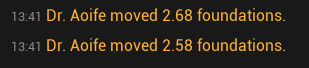
- Use 'track movement distance' to see how far you’ve moved.
- When finished, press 'track movement distance' again, and then 'start|end movement' again.
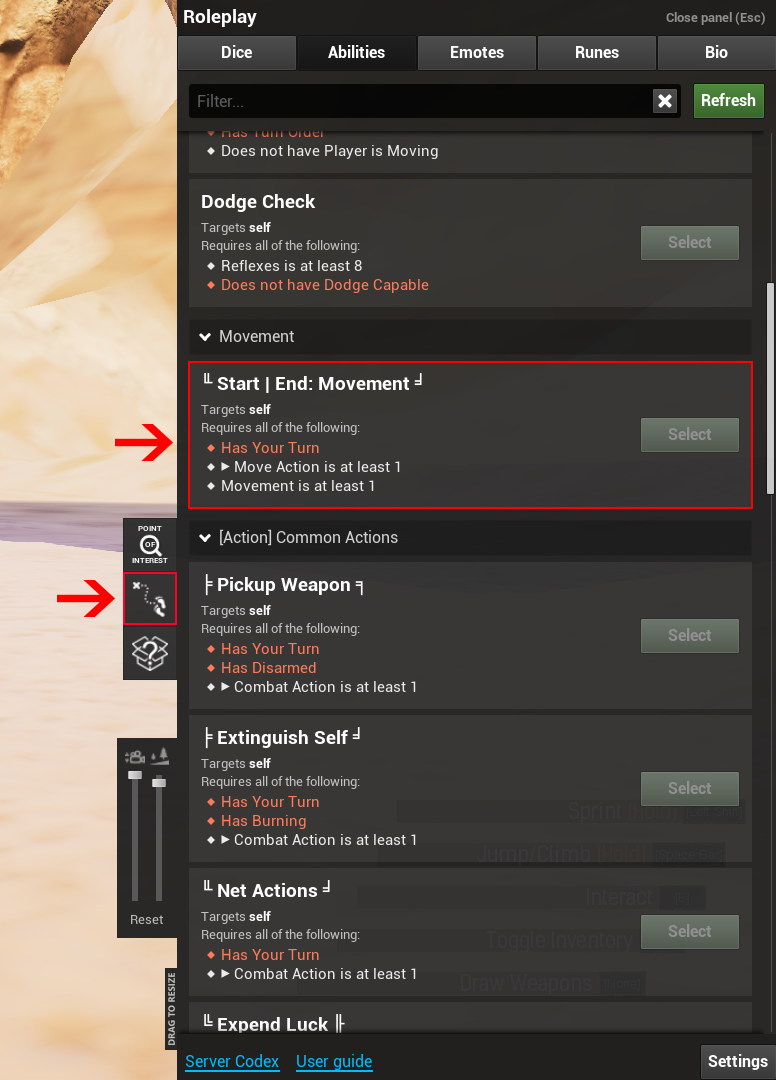
Important: If you change direction mid-movement, reset the 'track movement distance' counter before continuing, or it won’t count correctly.
Cover also works, but only when standing (not crouching behind walls). If the script thinks you’re in cover incorrectly, you may need to stand occasionally so others can hit you.
Actions
Now that you’ve moved (or not), you can take actions. Actions include:
- Attacking an enemy (melee or ranged).
- Using role abilities.
- Healing allies.
- Other combat abilities (like putting out fire).
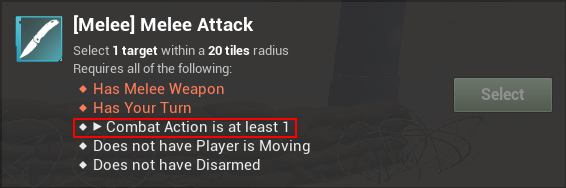
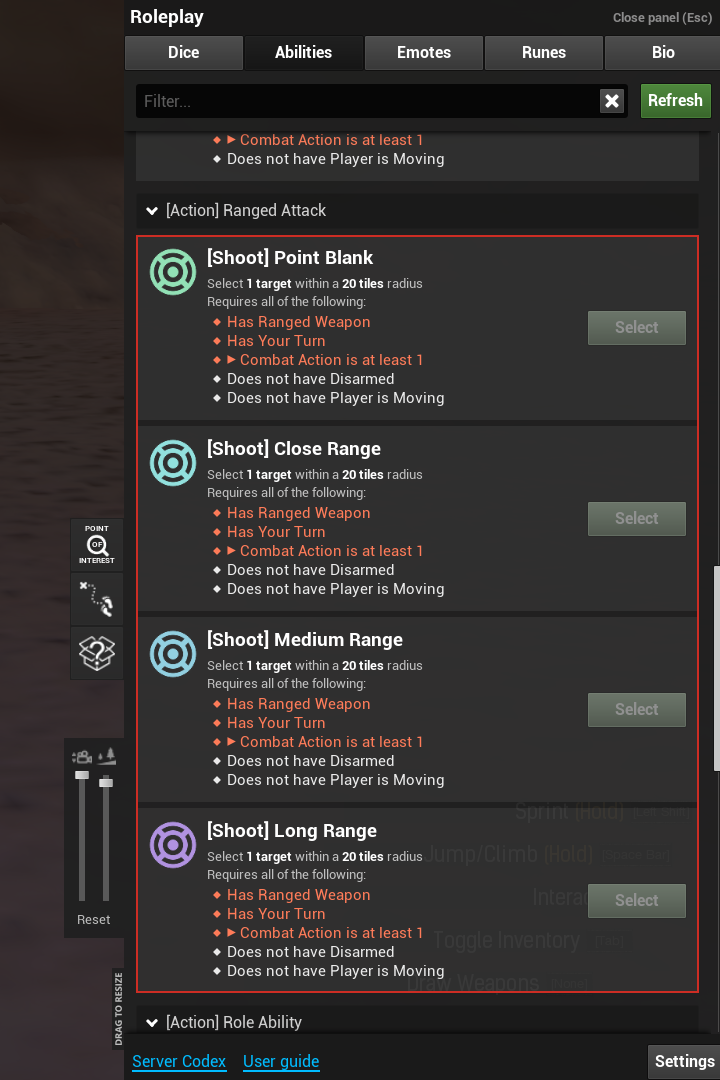
Most actions consume your one combat action. There are exceptions (see Rate of Fire below).
Luck
You can expend Luck points before a roll:
- Each point gives +1 to your roll.
- Press the 'expend luck' button repeatedly to spend more points.
- Points are not refunded until the next combat.
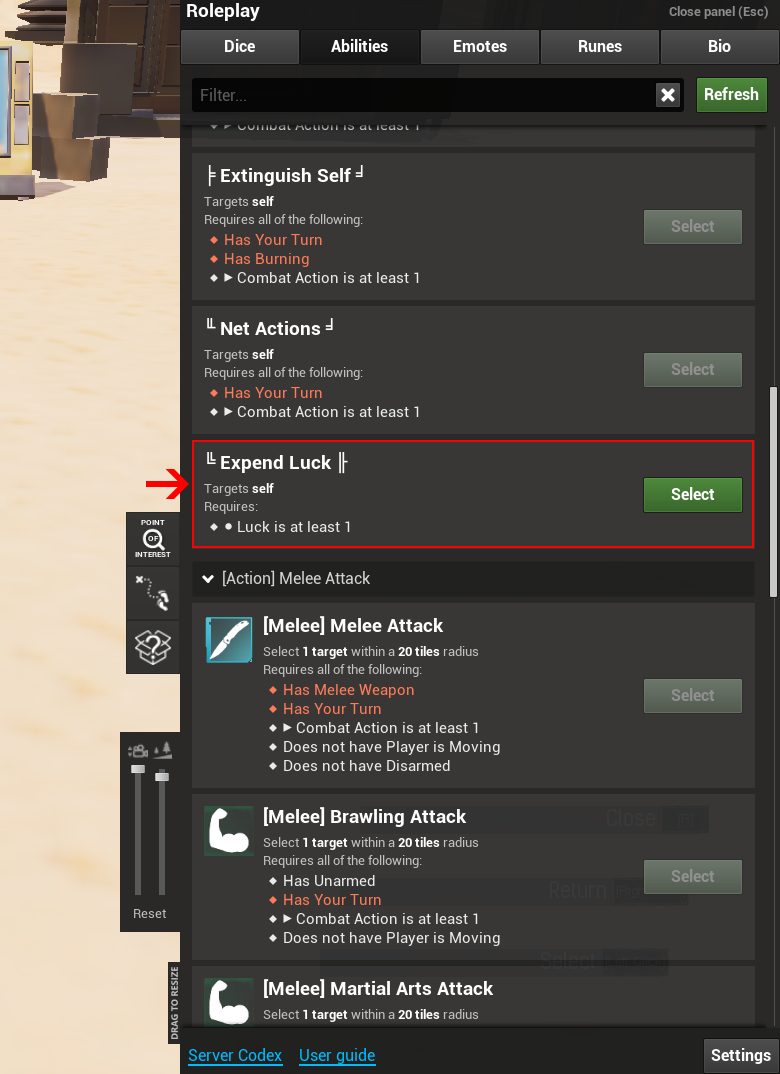
Use this wisely to push through tough rolls!
Role Abilities
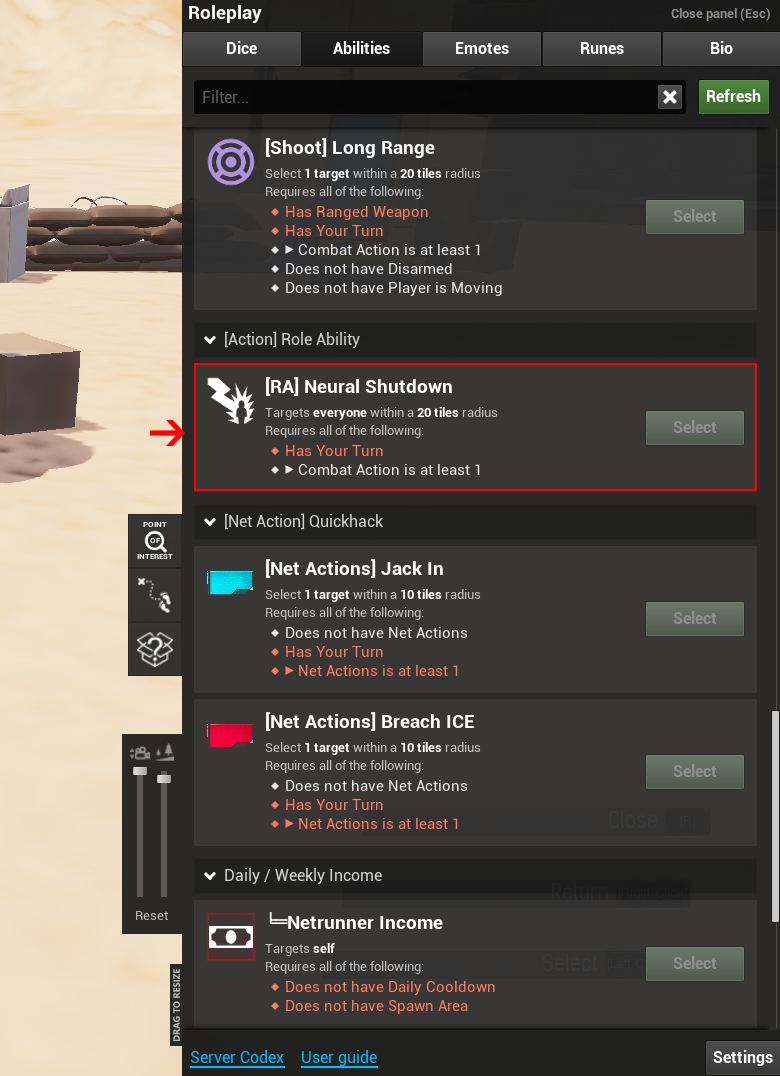
Each role has a special once-per-combat ability, found under ranged attack options. For example, Neural Shutdown deals damage based on enemy cyberware. Remember: these still consume your combat action.
Swapping Weapons
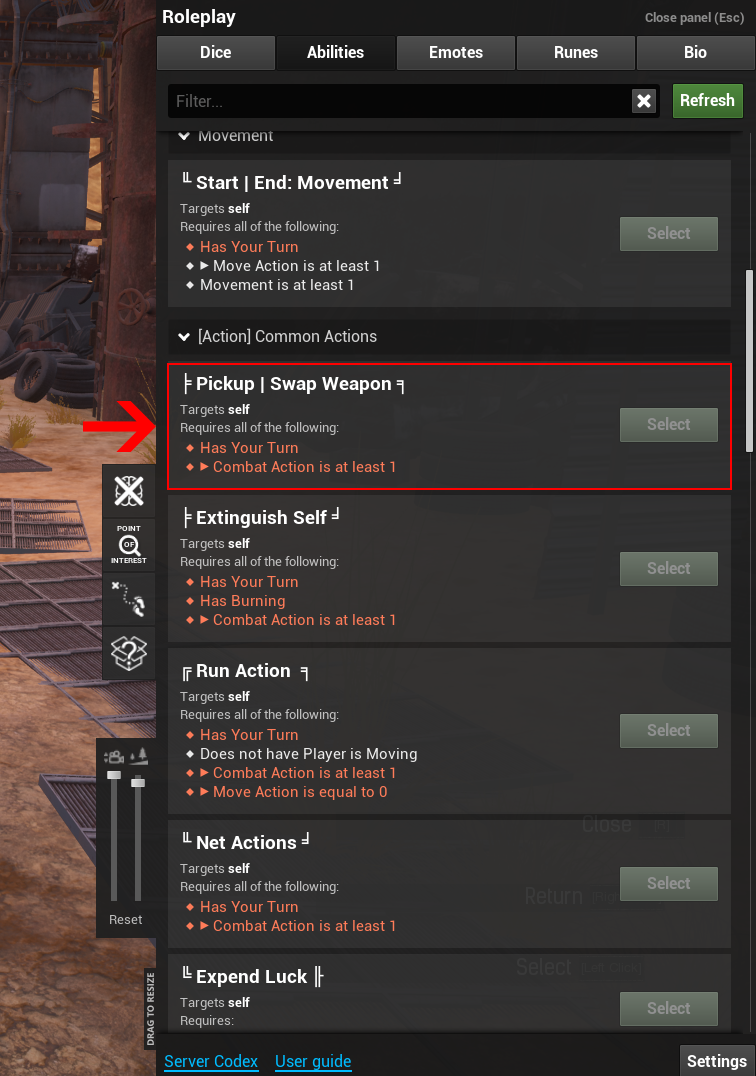
Weapons require hands:
- Pistols & SMGs = 1 hand.
- Other firearms = 2 hands.
- Light/Medium/Heavy melee = 1 hand.
- Very Heavy melee = 2 hands (unless Body 8+, then 1).
- Cyber pop-up weapons = 1 hand, can equip/unequip freely.
- Shields = 1 hand, must pair with a 1-handed weapon or pop-up.
Drawing weapons:
- Free if weapon is easily accessible (holster, sling, cyberware).
- Costs a combat action if not accessible (like in a backpack).
If hands are full:
- Put weapon away (uses combat action, but can redraw later).
- Drop weapon (free, but must pick it up again later).
Rate of Fire(ROF)
Most weapons fire once per turn. Exceptions:
- Pistols doing 1d6–3d6 = ROF 2 (two shots).
- Melee/cyber melee doing 1d6–3d6 = ROF 2 (two swings).
Autofire
If you are currently holding a weapon capable of autofire, you may use it as your action. When you use Autofire, it costs an Action and 10 bullets. If you don't have 10 bullets remaining in your clip, you can't use Autofire. You use the Autofire Skill instead of the weapon's typical Weapon Skill. If you manage to hit your target, you will do 2d6 damage and it will multiply by the amount you beat the DV against the target, up to a maximum depending on your current weapon (typically 3 for SMGS and 4 for assault rifles).
Suppressive Fire
When you use Suppressive Fire with a weapon capable of using it, it costs an Action and 10 Bullets. If you don't have 10 Bullets remaining in your clip, you can't use Suppressive Fire. Everyone on foot within 10 tiles, out of cover, and in your line of sight must roll WILL + Concentration + 1d10 against your REF + Autofire Skill + 1d10. Anyone that fails must use their next Move Action to get into cover. If that Move Action would be insufficient to get into cover, they must also use the Run Action to get into cover or as close to cover as possible.
Net Actions
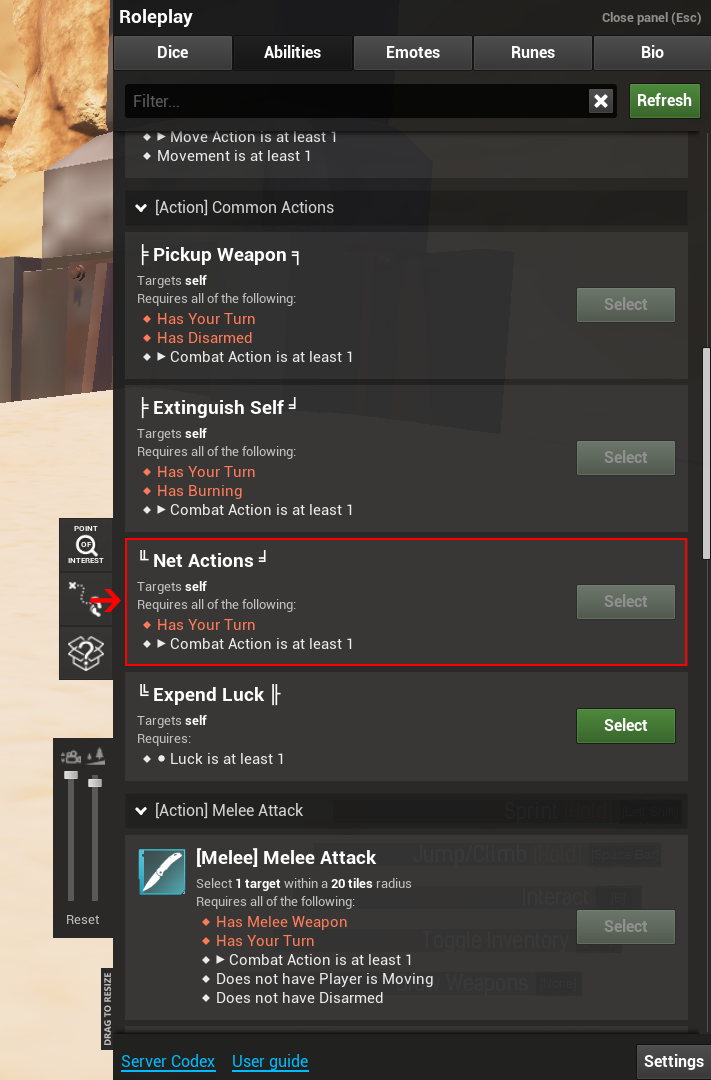
If you’re a Netrunner you're able to utilize NET actions and use your interface skill:
- Press 'net actions' to trade combat action for net actions.
- Requires: a Cyberdecks and a Quickhacks rune.
- Jack into enemies with neuroports.
- LOS can chain through allies with neuroports.
Steps:
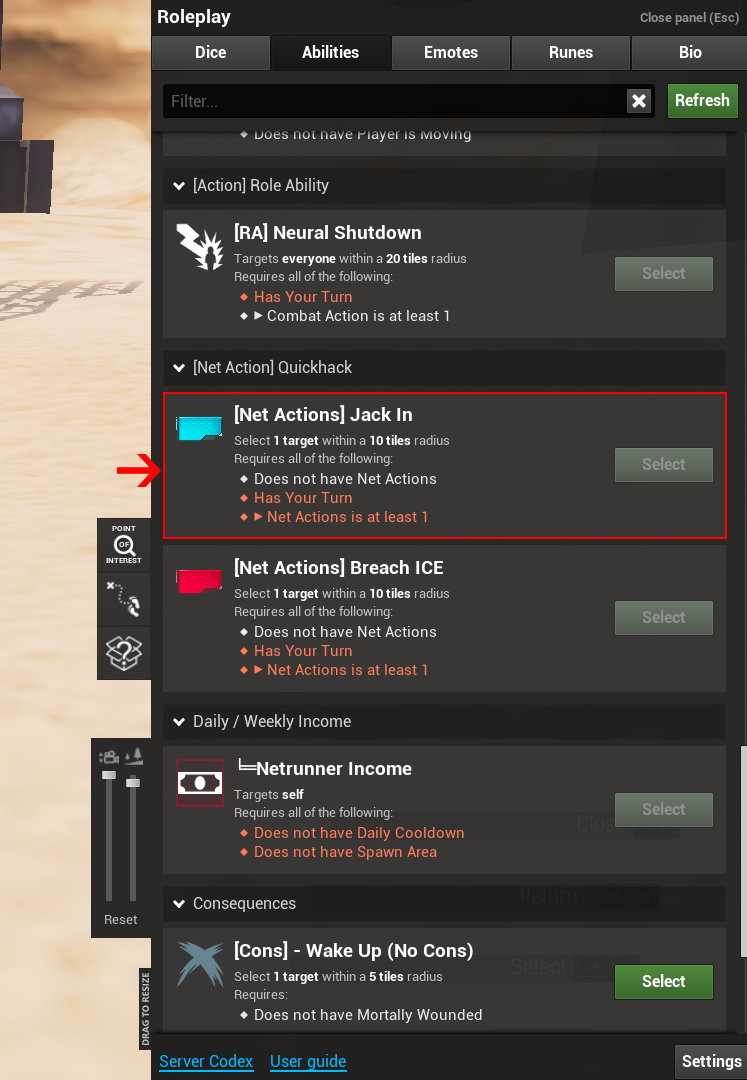
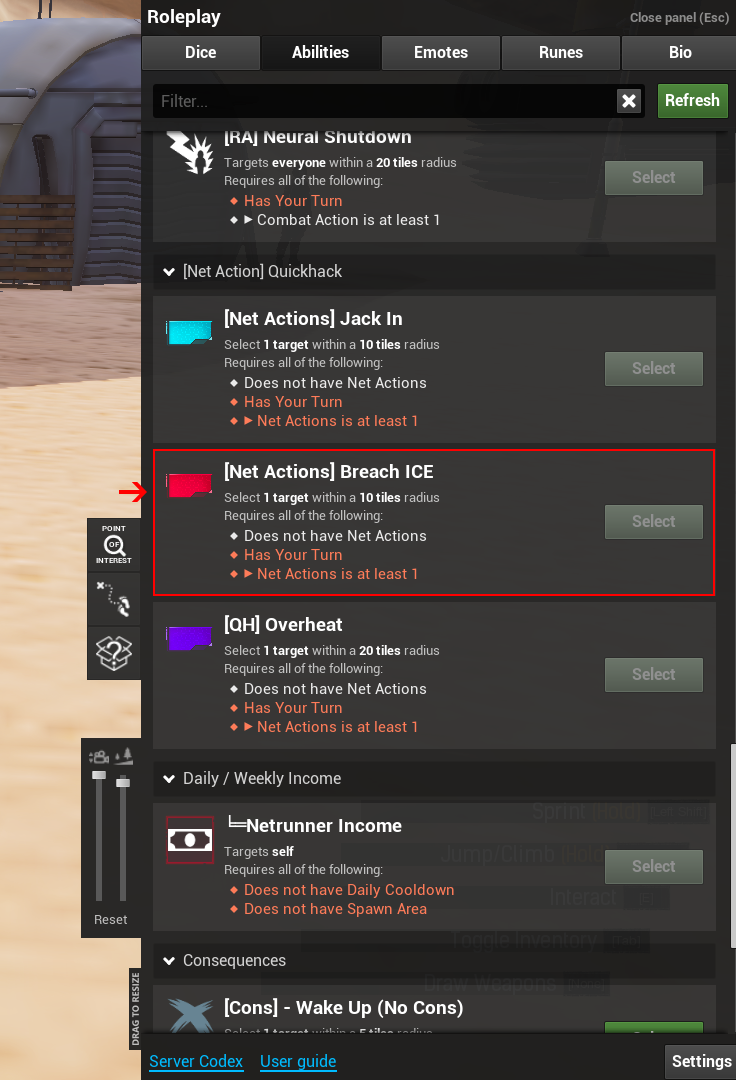
- Press 'Jack in' on a visible target with a neuroport.
- Breach their ICE (may take multiple rolls) depending if they have the Self-ICE cyberware.
- Use loaded Quickhacks (1 per target per turn).
Dodging
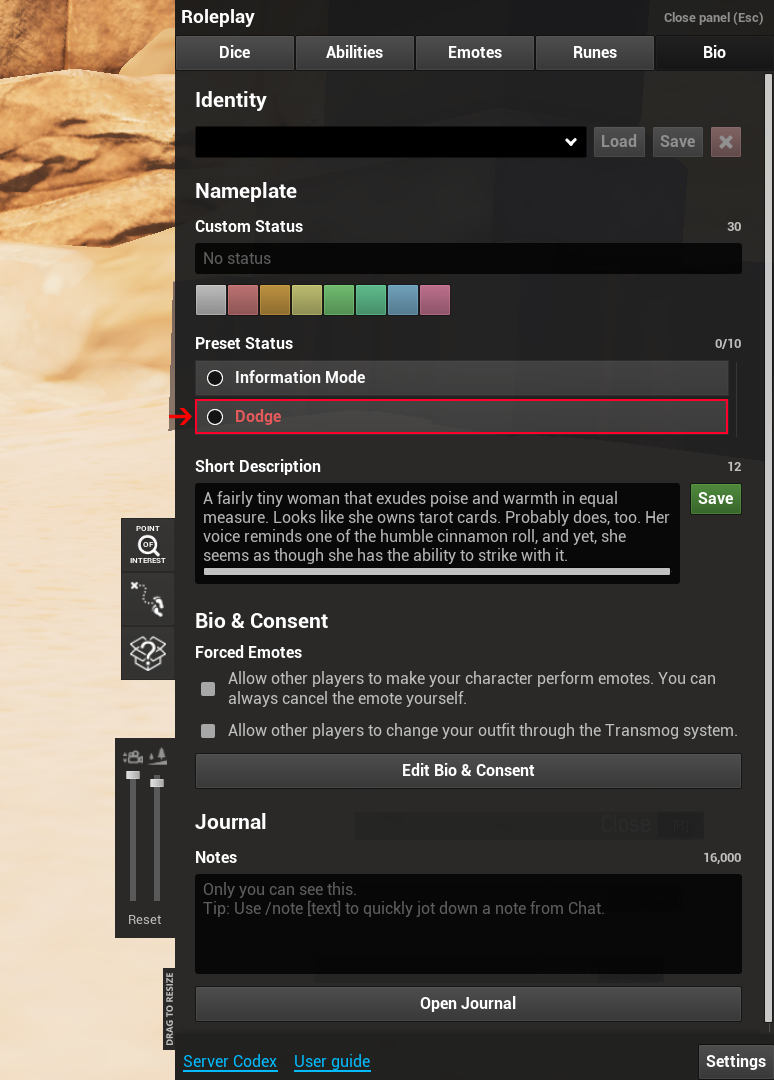
If the reflex STAT is 8, you’ll see a Dodge toggle in the BIO tab.
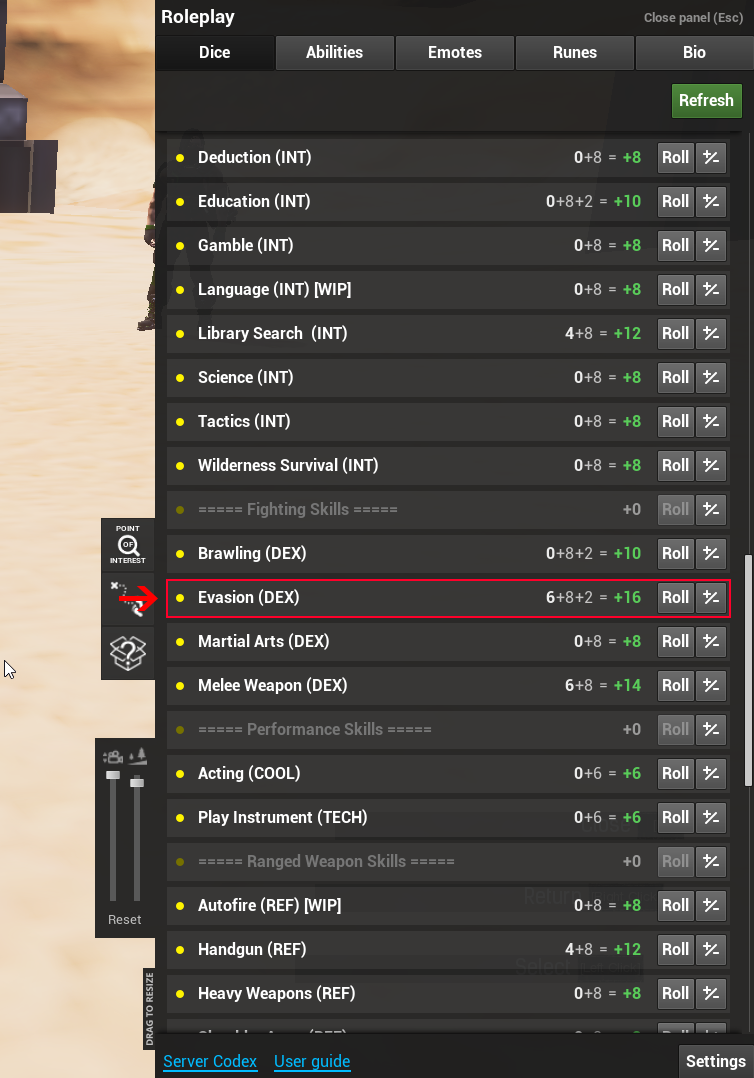
- Toggle whether you attempt to dodge ranged attacks using the Evasion skill.
- Melee attacks are always dodged using Evasion.
- Dodging replaces static DV with your Evasion roll, making it a constested roll.
This can be better or worse depending on the situation!
Armor & Damage
Armor reduces incoming damage:
- If damage ≤ armor, no damage taken.
- If damage > armor, the armor is ablated and you take the leftover damage.
- When the armor is ablated, it's reduced by 1 each time until the end of combat. It will refresh next combat back to full.
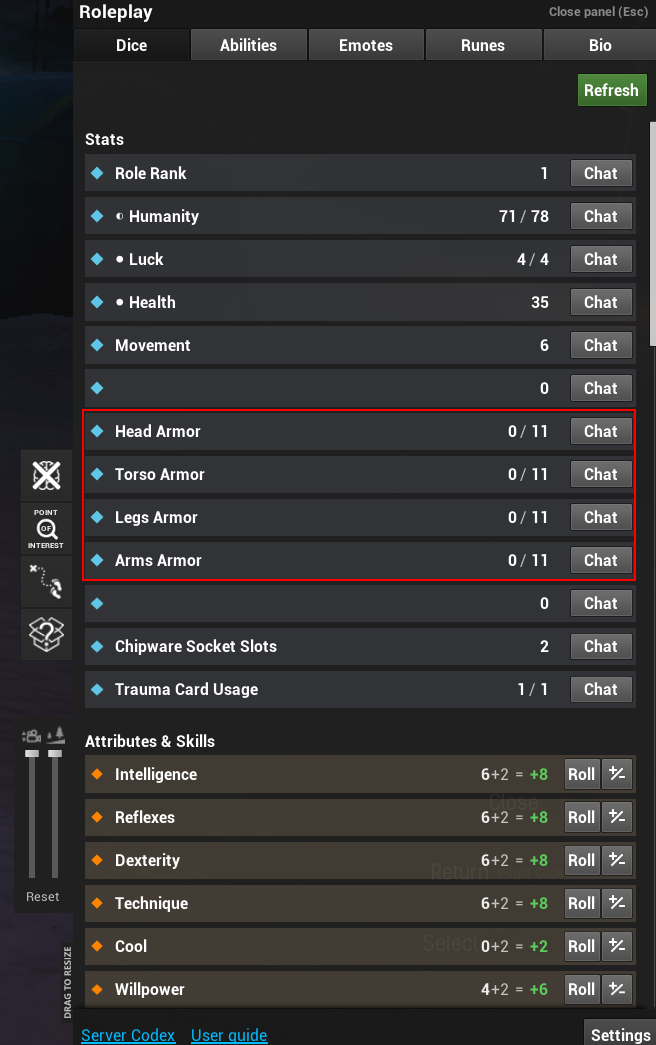
Example: 11 armor vs 12 damage = 1 damage taken, armor reduced to 10.
Fleeing Combat
Want out? Want to just run from danger after seeing you can't take the heat? You'll just have to:
- Put 20 tiles between yourself and all enemies.
- Then you may safely exit combat.
- You cannot use warps (like leaving the city for Badlands) while fleeing.