
Generic Random Generator
This is a simple random generator that can be used to display a random article block or link. It even works with BBCode! It changes to a new item in the list every time you refresh the page.
Now you've got a copy of the template in your world's statblocks! This default template has a placeholder message, which you can delete.


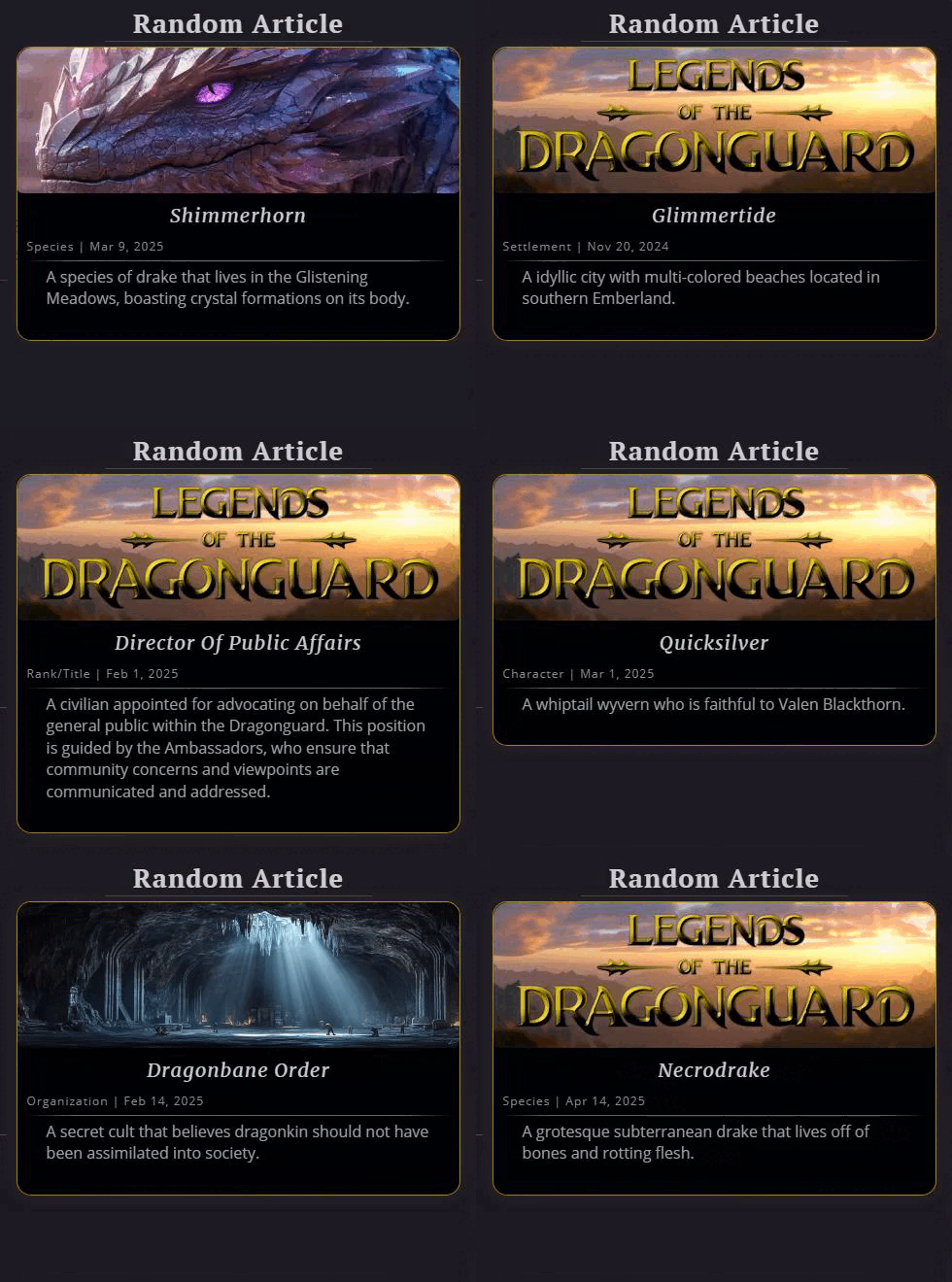 Refreshing the page changes it every time
Hint: You can use the default button CSS classes. I use btn btn-sm btn-primary for most of my buttons.
Getting the Statblock
First, make a copy of the template in your world. Once you've clicked the button, you can close the tab.
Copy Statblock
Now you've got a copy of the template in your world's statblocks! This default template has a placeholder message, which you can delete.
Statblock Details
Step 1
Go to your statblocks in the sidebar, and click on the newly created block.
It will be called "Generic Random Generator Template" and already have a few tags associated with it.
Reminder: Make sure you have RPG Features enabled under your Account Features!
It will be called "Generic Random Generator Template" and already have a few tags associated with it.
Reminder: Make sure you have RPG Features enabled under your Account Features!
Step 2
Rename the statblock and change its tags, too. Then fill out whatever you want in the large text area called Items.
Each new line is a new entry for the random generator.
Each new line is a new entry for the random generator.
It works with BBCode like article blocks!
Tip: You can use comment tags with the name of the article to keep track of which one it is!
(The comments still display if you add this to your profile)
(The comments still display if you add this to your profile)
Using the Statblock
You can embed the statblock into a page for your and / or everyone else's viewing pleasure. With enough CSS, you can even make it into a normal button!
View it live on my worlds' homepages and footers:
View it live on my worlds' homepages and footers:
Bonus: Random Article Button
With some CSS, you can also make this into a normal button! This is great for when you want a random article, but don't want to show the whole article block, like in a footer.Hint: You can use the default button CSS classes. I use btn btn-sm btn-primary for most of my buttons.
BBCode
Result
(This is the random article button for the Legends of the Dragonguard world)
[container:btn btn-sm btn-primary btn-random][block:1460120][section:fas fa-shuffle] [/section] Random Article[/container]
Result
(This is the random article button for the Legends of the Dragonguard world)
CSS
General article block panel.
.btn-random .article-panel {
  background: none;
  margin: 0;
  padding: 0;
  box-shadow: none;
  border: 0;
 }


Making the link cover the entire button. You may need to adjust the width and positioning depending on your button's text.
 .btn-random a {
  position: absolute;
  display: inline-block;
  width: 114%;
  padding: 1em;
  left: -8px;
  top: -4px;
 }


Hide the cover image and details. I also hide the annoying view statblock button, but I believe only you can see it, others won't.
 .btn-random .statblock:hover .heroes-view-sheet-button,
 .btn-random .cover,
 .btn-random .details {display: none;}


It is great, so easy to use and also very helpful, to be able to add a comment after the article block. Thank you.
Here are my Entries for the water continent Ulűri̋qi̋
<3
> Root Directory is my hub world <
Legends of the Dragonguard • /dev/null
WorldEmber 2025