

Character Sheet Creation Guide
World Anvil Character Sheet Creation
-Introduction-
Click the images to zoom in and click outside of the image to zoom out.
-Overview-
Step 2: Link Your Character
Step 3: Select Game System
Step 4: Create Your Character Sheet
-Step 1: Create a World Anvil Account and Character-
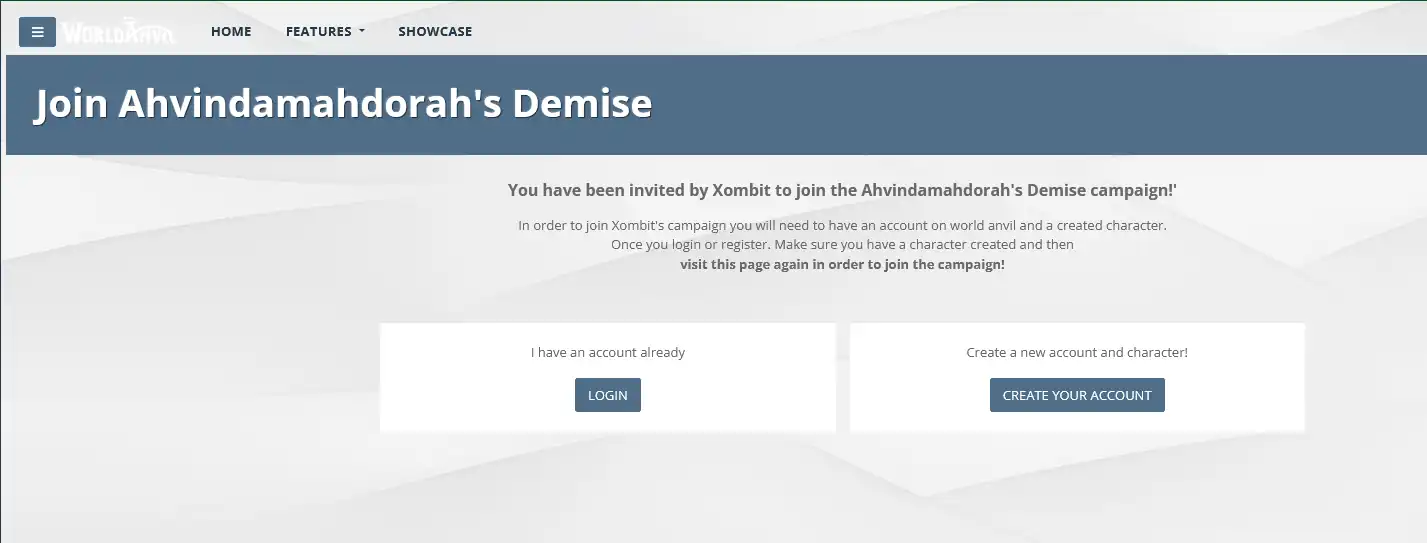
1.1) Click the campaign join link below. You should be taken to the page shown. If you already have a World Anvil account, click 'LOGIN' if not, click CREATE YOUR ACCOUNT
*This guide assumes a new user, if you already have an account, use the official guide to create your character: World Anvil PC Creation Guide, then proceed with Step 2.3 Campaign Join Link
*This guide assumes a new user, if you already have an account, use the official guide to create your character: World Anvil PC Creation Guide, then proceed with Step 2.3 Campaign Join Link
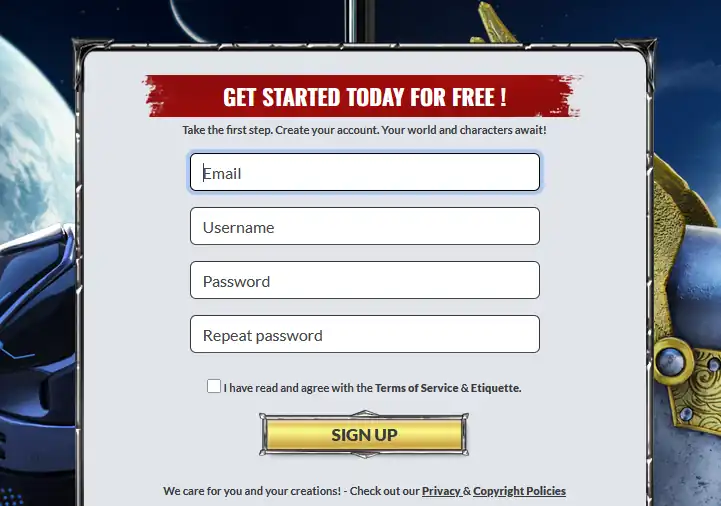
1.2) Enter your email address, desired username (not your character's name), and password. Check the box and click SIGN UP.
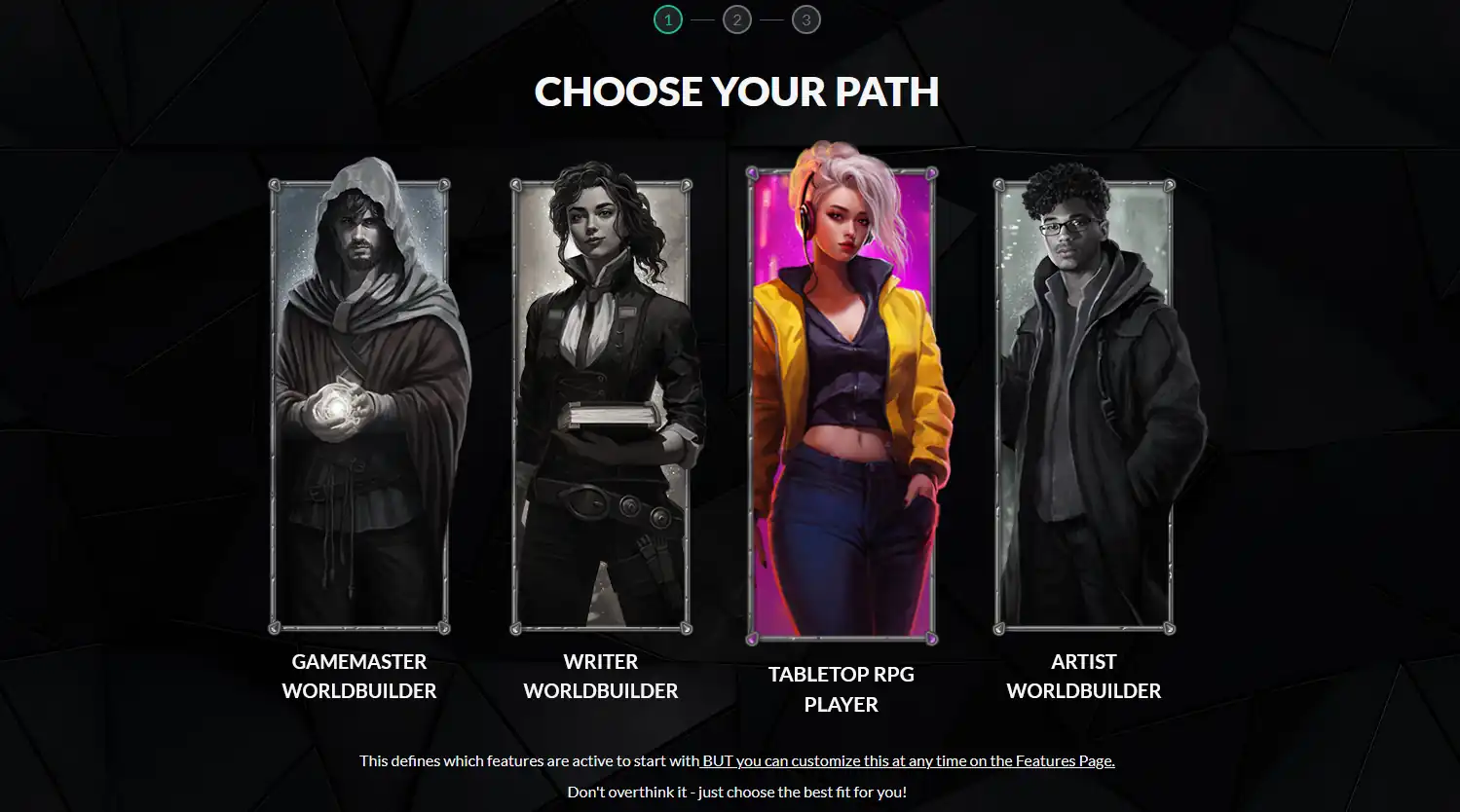
1.3) Select TABLETOP RPG PLAYER.
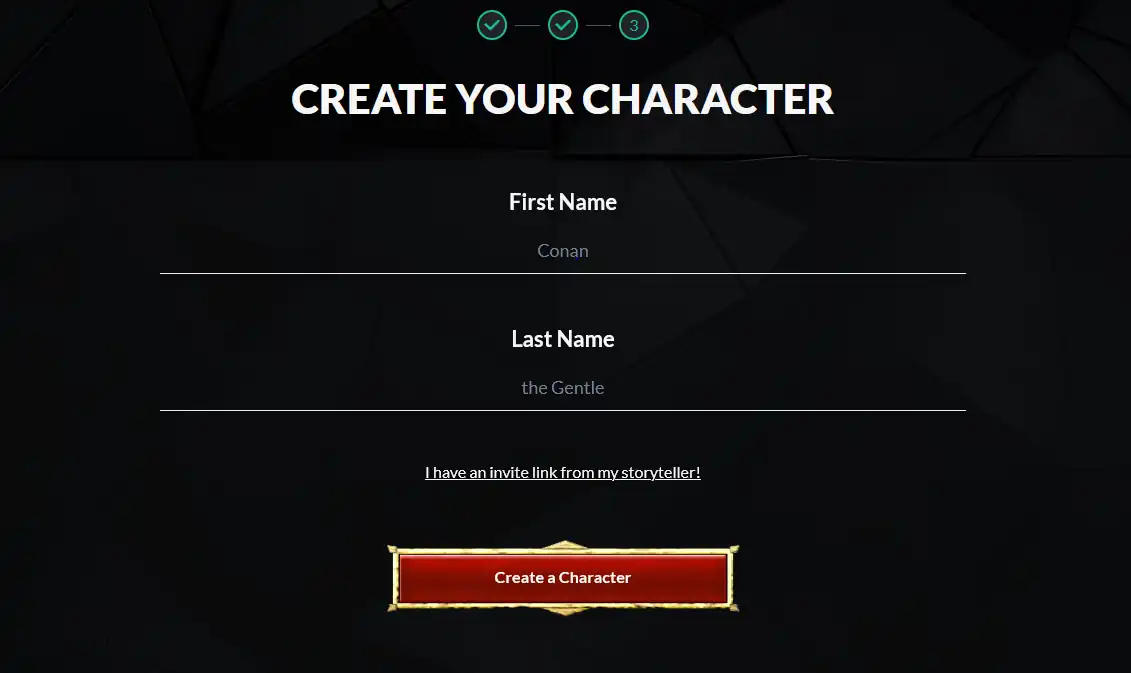
1.4) Enter your character's name and click Create a Character. First name is required. Adding the campaign link here has been flaky for me in testing. I recommend you leave it out and follow this guide to link your character later.
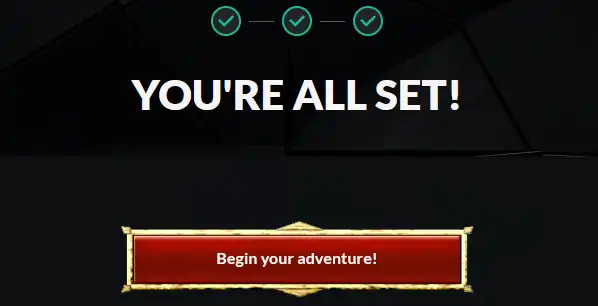
1.5) Success! Click Begin your adventure!
-Step 2: Link Your Character-
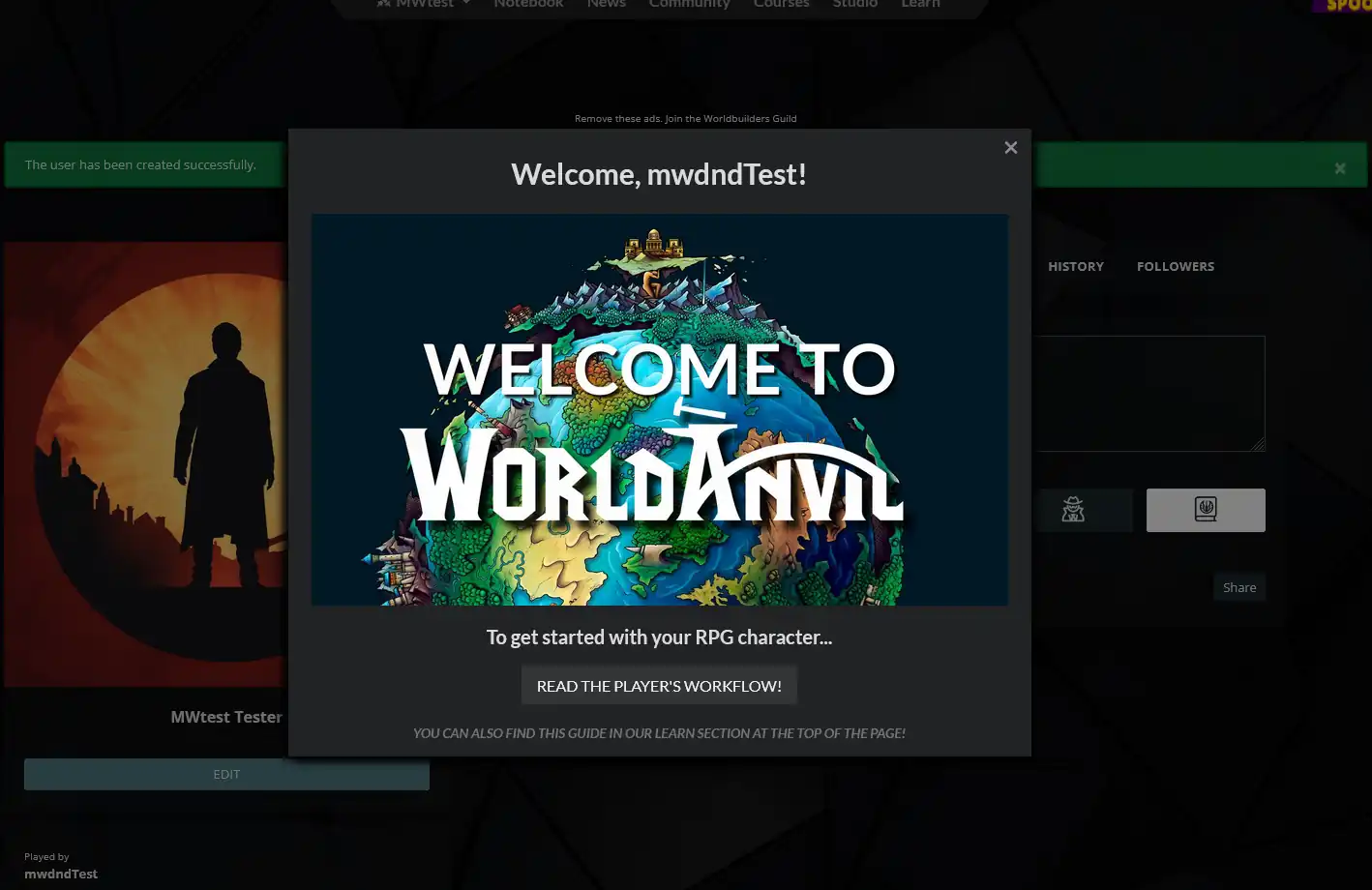
2.1) If this popup shows, close it. We don't need this for now.
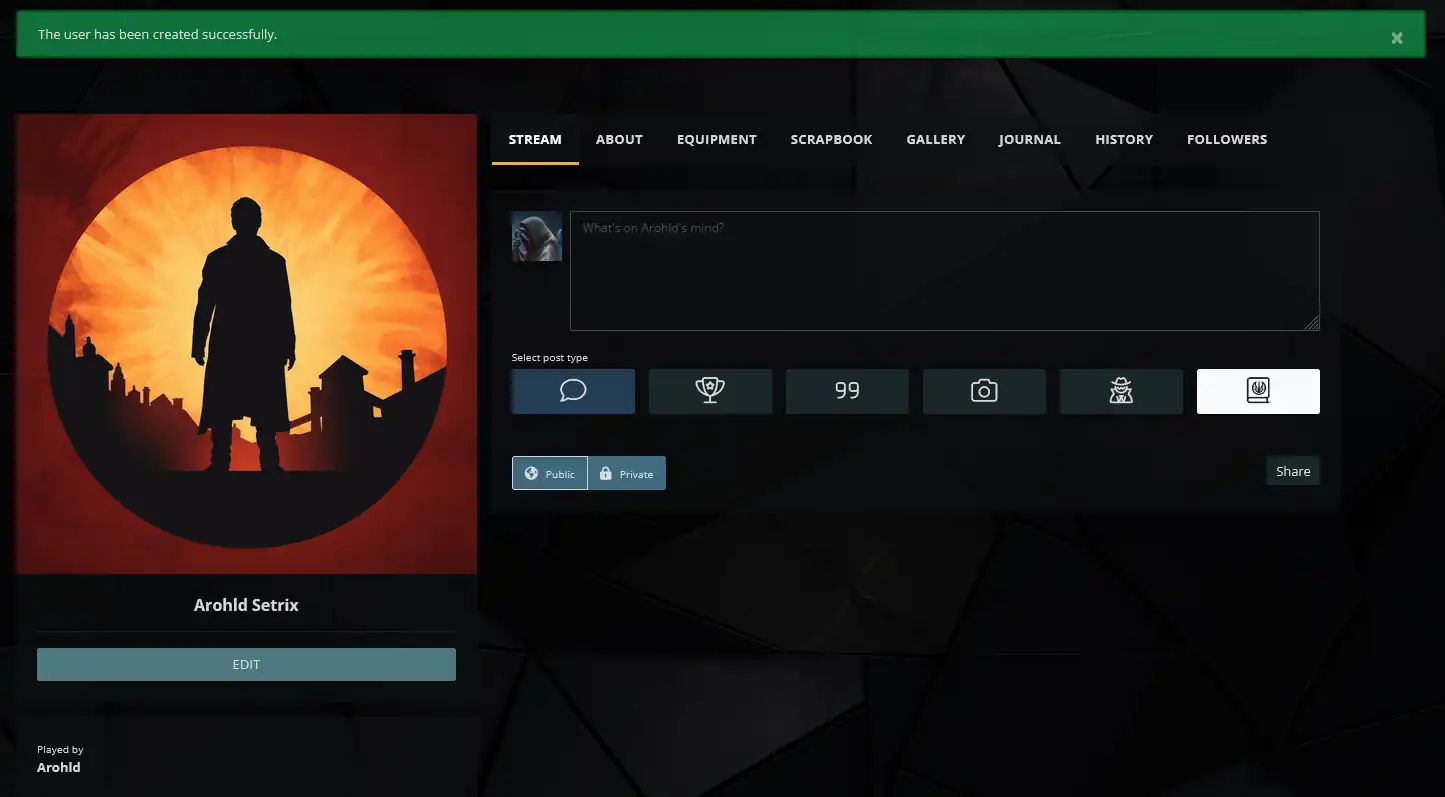
2.2) You should see a green banner at the top that says "The user has been created successfully."
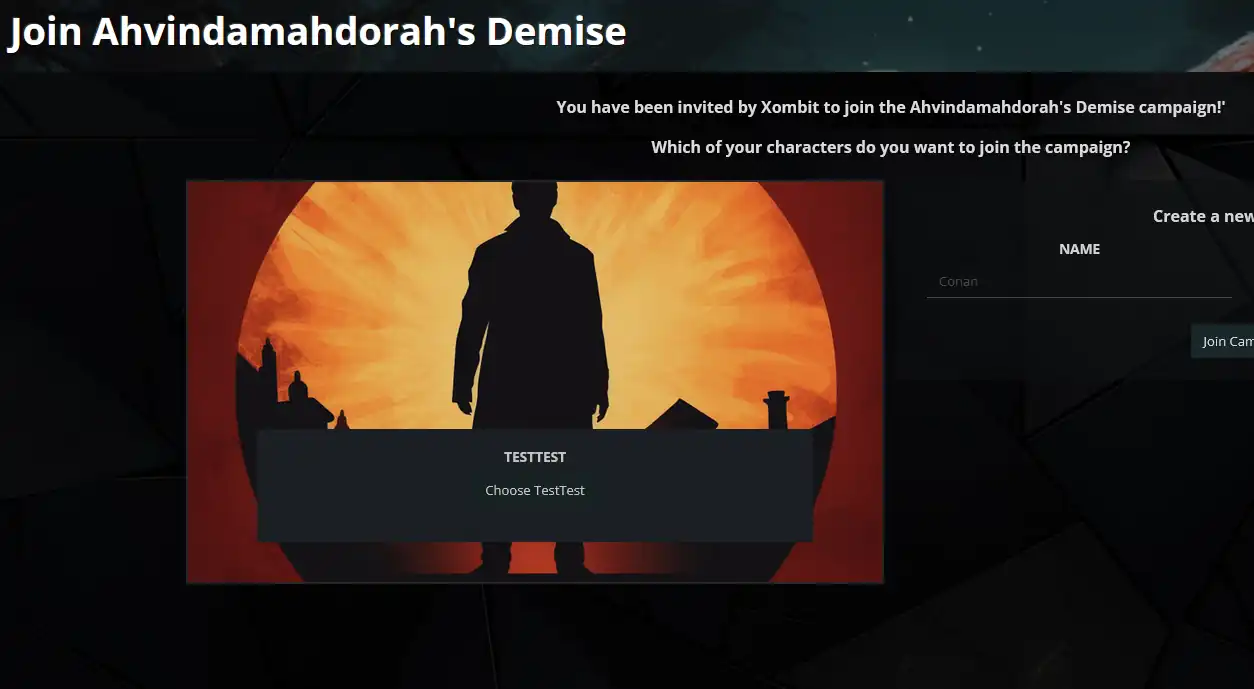
2.3) Click the campaign join link again: Campaign Join Link
You should see this screen. Click 'Choose <your character>'. Don't make a new character here if you already have one.
You should see this screen. Click 'Choose <your character>'. Don't make a new character here if you already have one.
-Step 3: Select Game System-
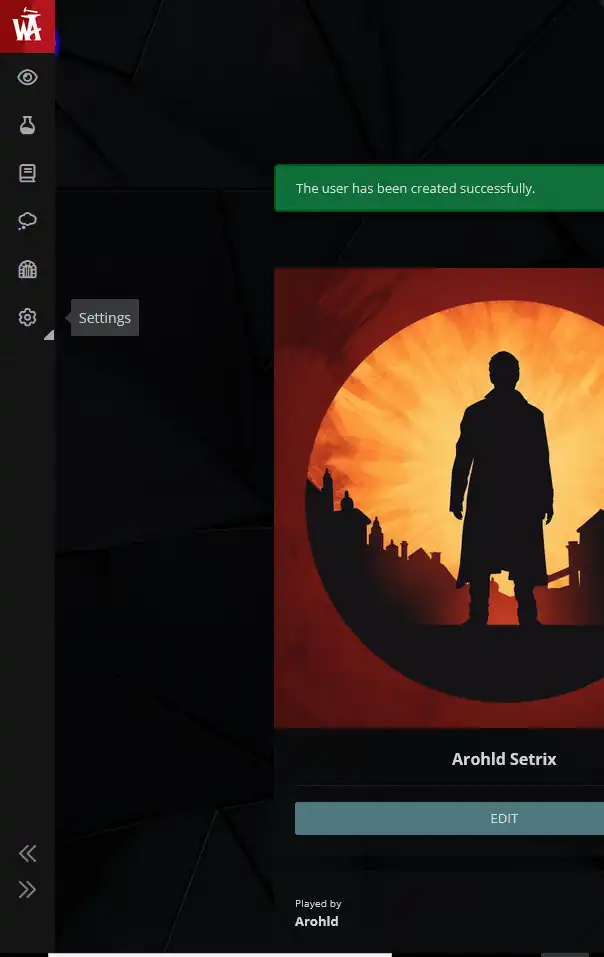
3.1) Click Settings on the left hand menu.
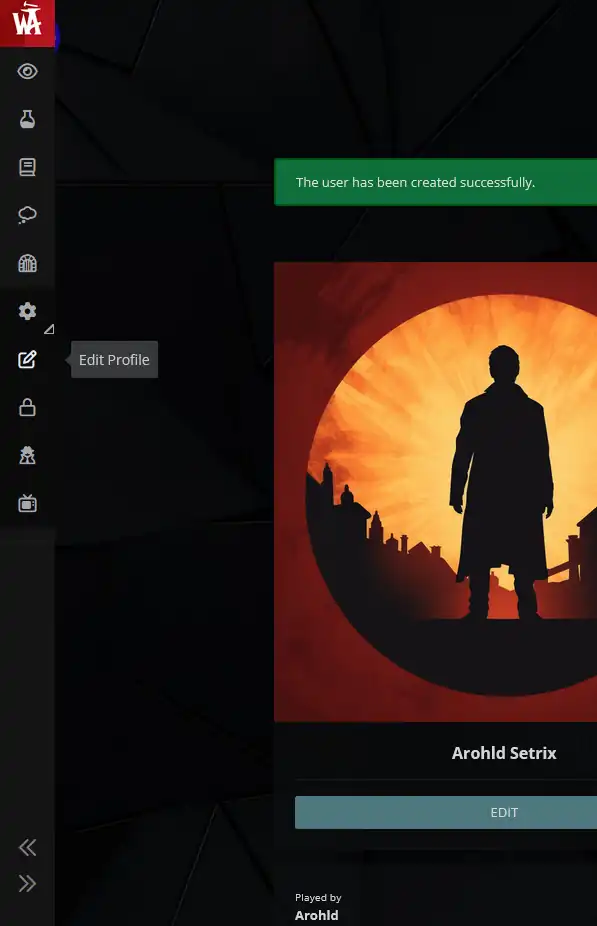
3.2) Click Edit Profile.
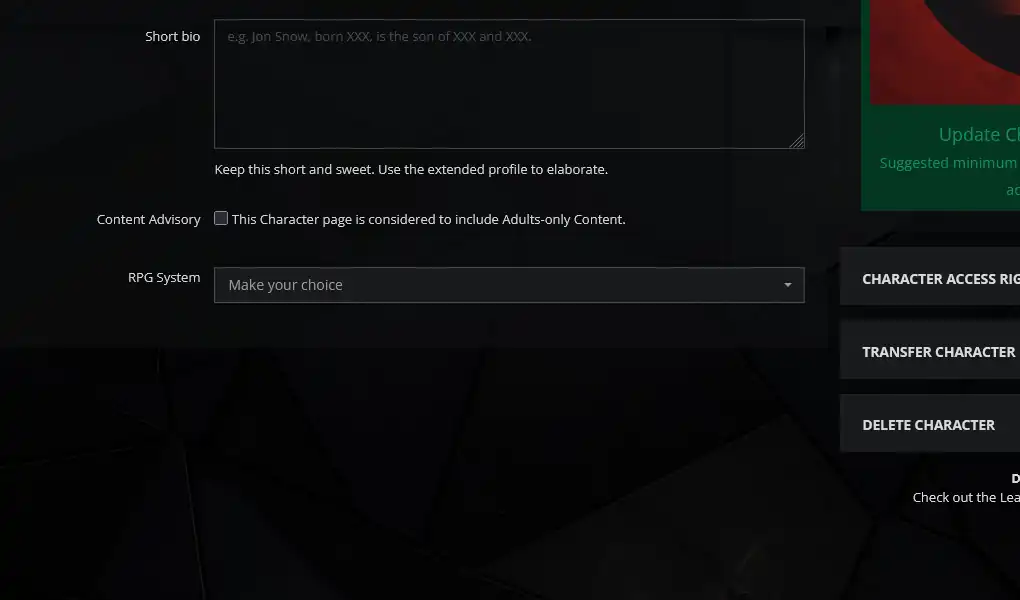
3.3) Scroll down the page to find the RPG System selection box.
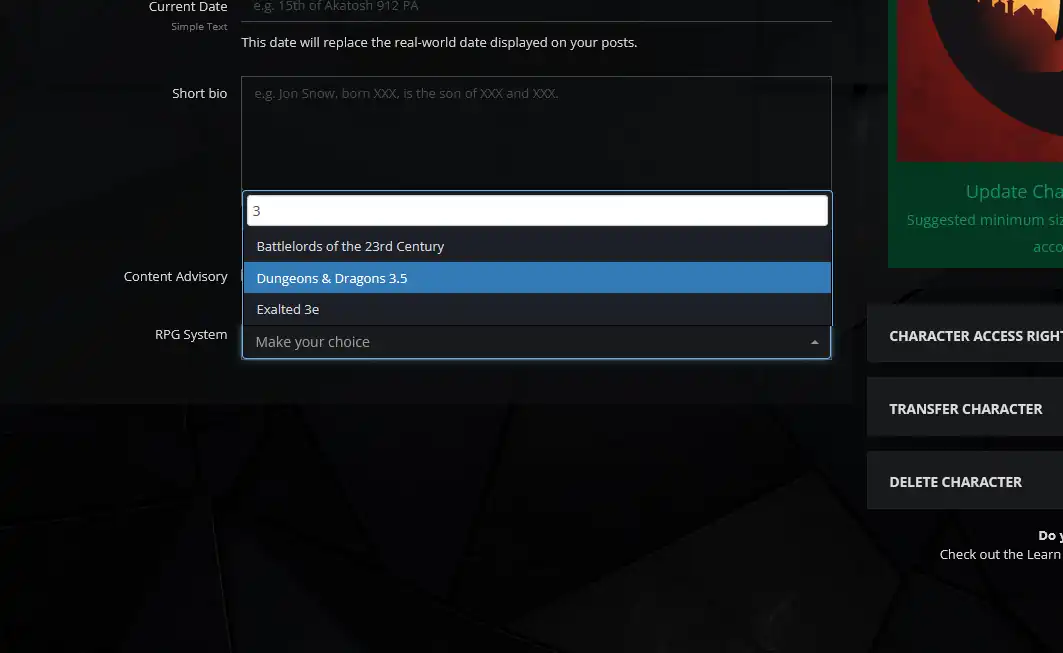
3.4) Entering 3 into the selection box is the easiest way to find the Dungeons & Dragons 3.5 system entry. Select this entry.

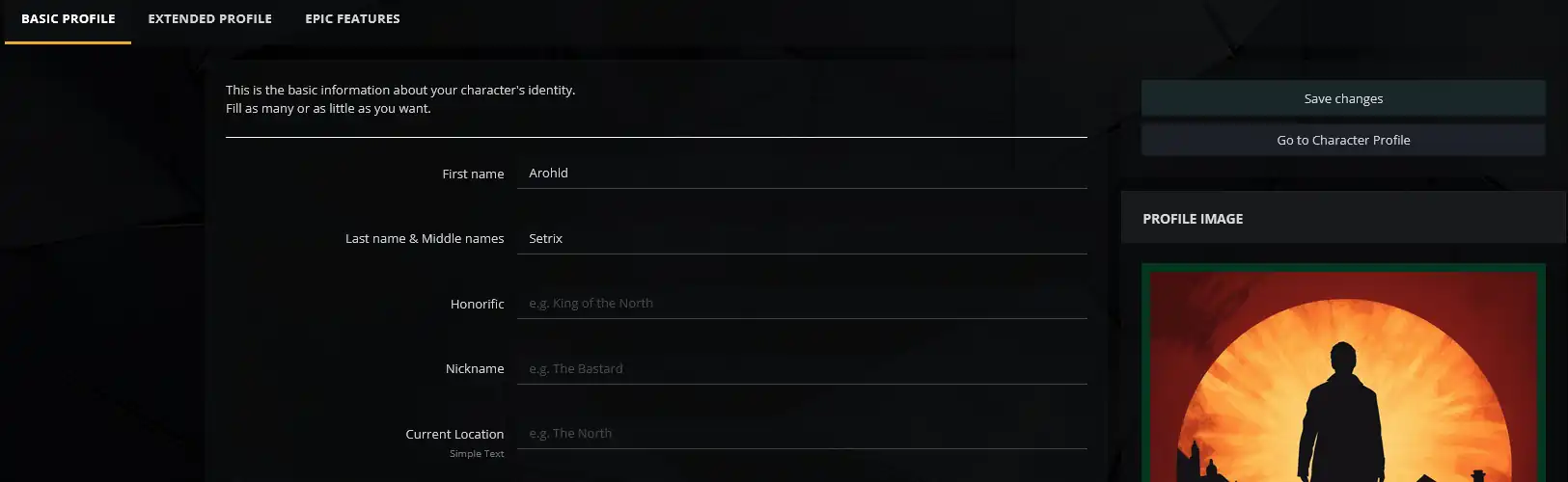

3.5) After selecting the system, scroll back up and click the Save changes button in the upper right. The page should refresh and show a green banner at the top that says All done! Close it, you shouldn't need to click the Go To Profile button.
-Step 4: Create Your Character Sheet-
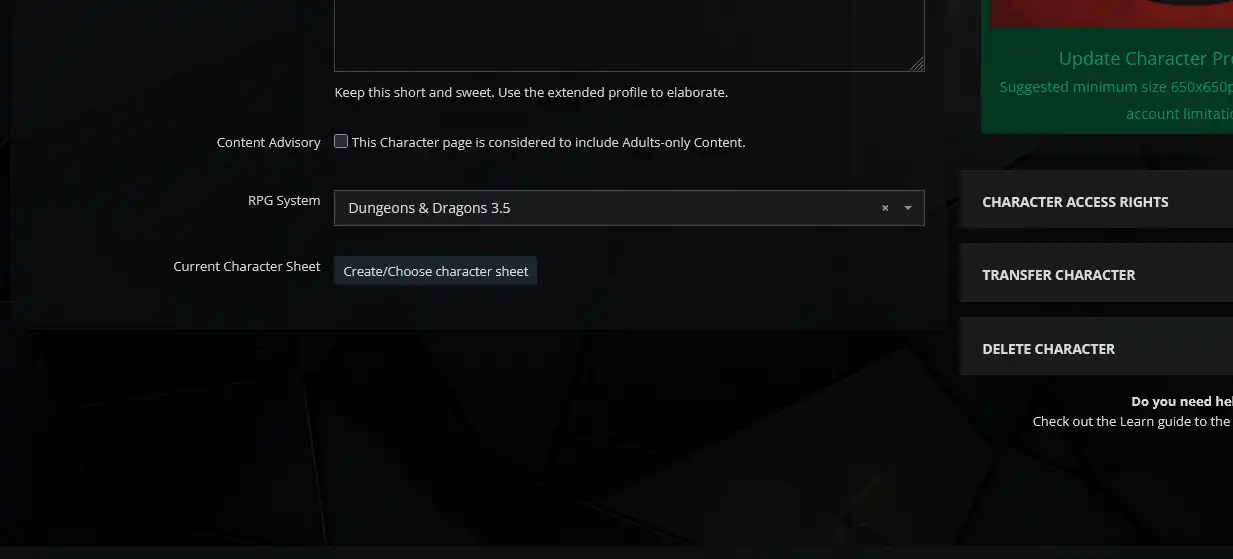
4.1) Scroll down in your character profile and click 'Create/Choose character sheet'.
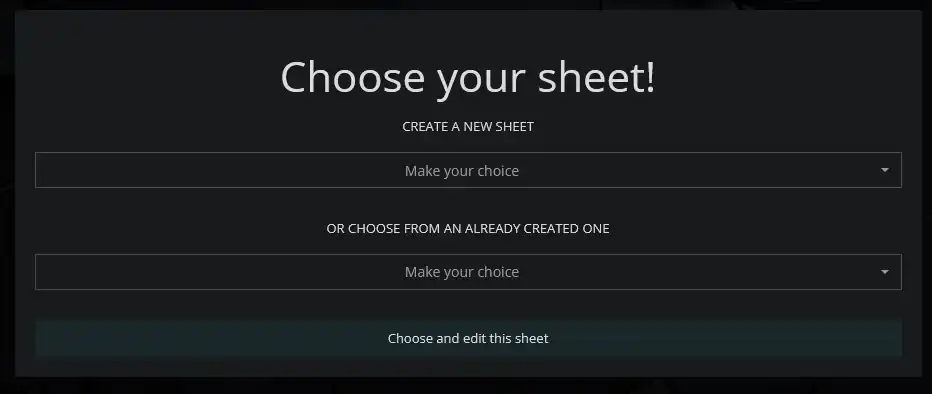
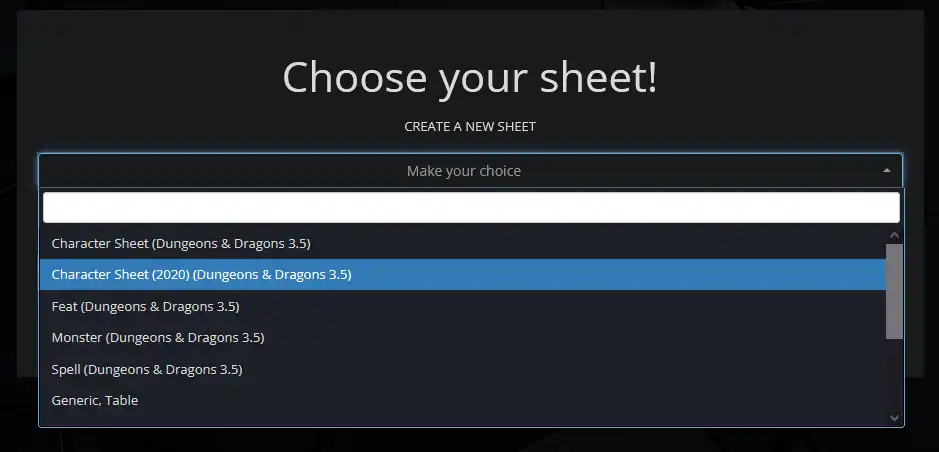
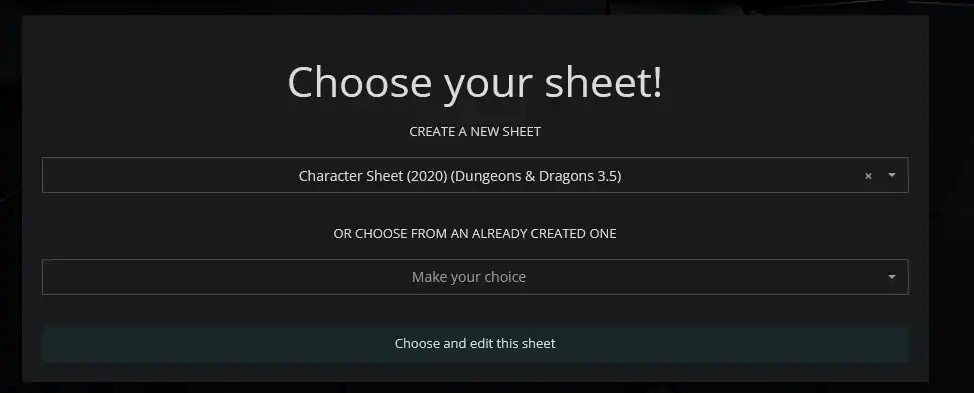
4.2) This window will open, pick 'Character Sheet (2020) (Dungeons & Dragons 3.5)' from the 'Make your choice' pulldown box, then click 'Choose and edit this sheet'.
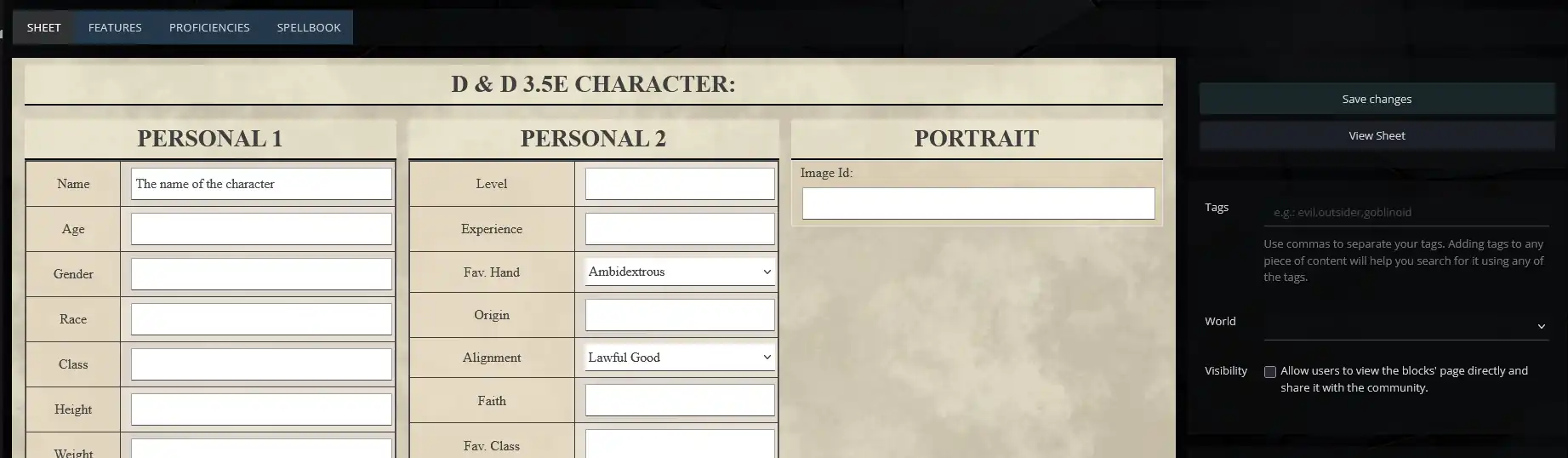
4.3) Success! You should now see the editable version of your new character sheet. Use this to document your character and get it ready to include in the virtual tabletop when it's time. Don't worry about spell ID's, names are fine for our purposes.
Don't forget to save when you are done!
Don't forget to save when you are done!
If editing your character gives you an error page, double-check to see if you've joined the world/campaign (Campaign Join Link). If issues persist, message the DM on Discord and provide screenshots if you are able.

